Serafim S3 Button Issues
If you are experiencing issues with any buttons on your Serafim S3, follow these troubleshooting steps:
- Ensure your phone’s operating system is up-to-date. If it isn’t, update to the latest version.
- Verify that your Serafim Console app is also up-to-date.
- Check the functionality of your buttons using the button test in the Serafim Console app:
Go to Settings > Controller > Test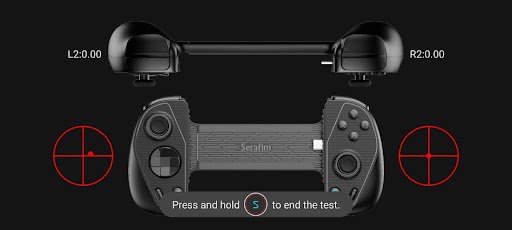
- Thoroughly inspect your phone’s USB-C port and the Serafim S3 connector to make sure they are clean and free of lint, dirt, or other obstructions.
If you need help resolving the problem, feel free to contact our support team. For faster support, please send your support request along with a screen recording of the button test.


